> ## Documentation Index
> Fetch the complete documentation index at: https://solana.com/llms.txt
> Use this file to discover all available pages before exploring further.
> ## Agent Instructions
> This page is part of the Solana developer documentation at https://solana.com/developers/docs. Append `.md` to any docs URL, or send `Accept: text/markdown`, to get the page as Markdown.
> Index of all pages: https://solana.com/llms.txt. Per-section indexes such as https://solana.com/developers/docs/payments/llms.txt are smaller; prefer them when working on one task.
> Coding agents: install the official Solana skill for current APIs and conventions with `npx skills add https://github.com/solana-foundation/solana-dev-skill` (also served at https://solana.com/SKILL.md).
> Code in the cookbook and task pages comes from tested example files. Prefer it over writing API calls from memory.
# Terminal UI
> Explore the interactive Terminal UI dashboard for Surfpool
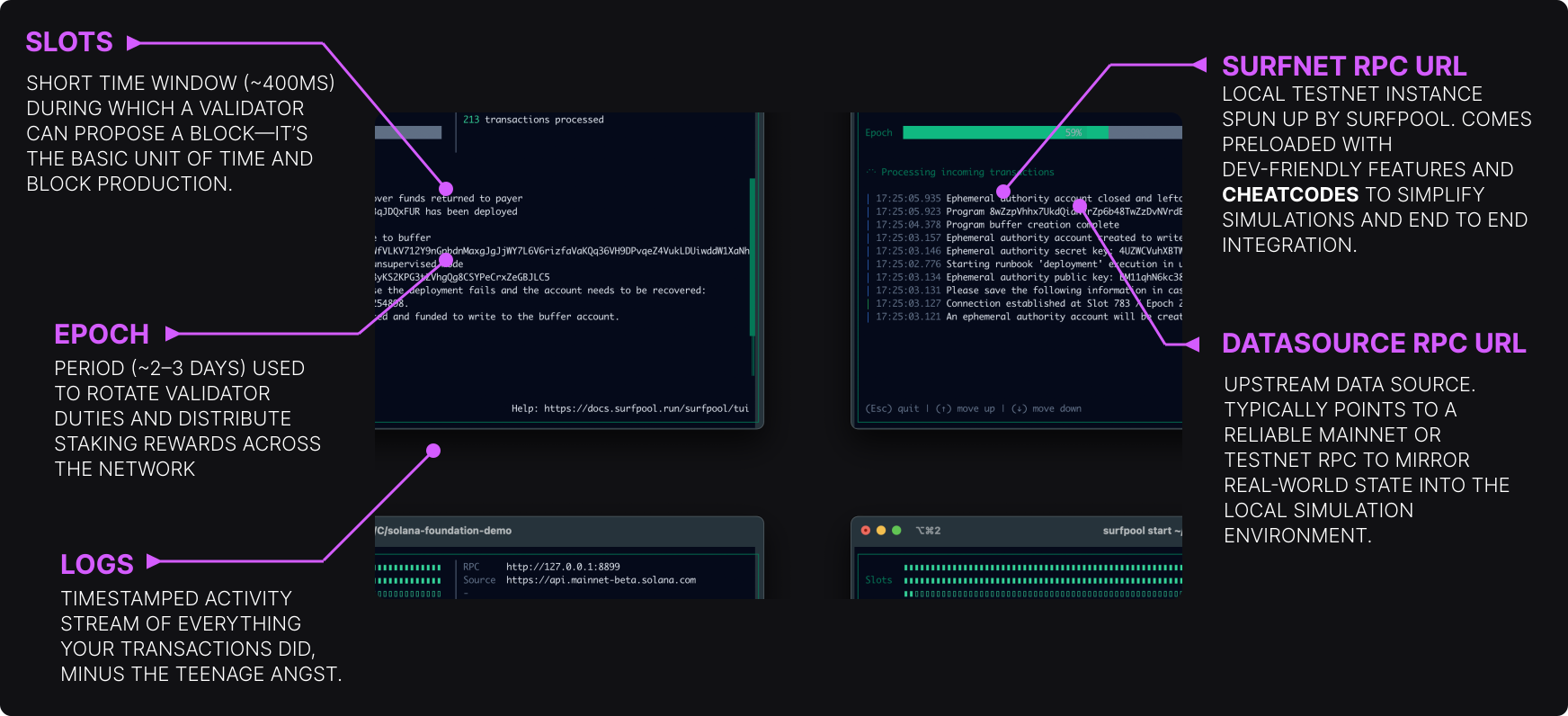
Surfpool includes an interactive Terminal UI dashboard that provides real-time
visibility into your local Solana network.
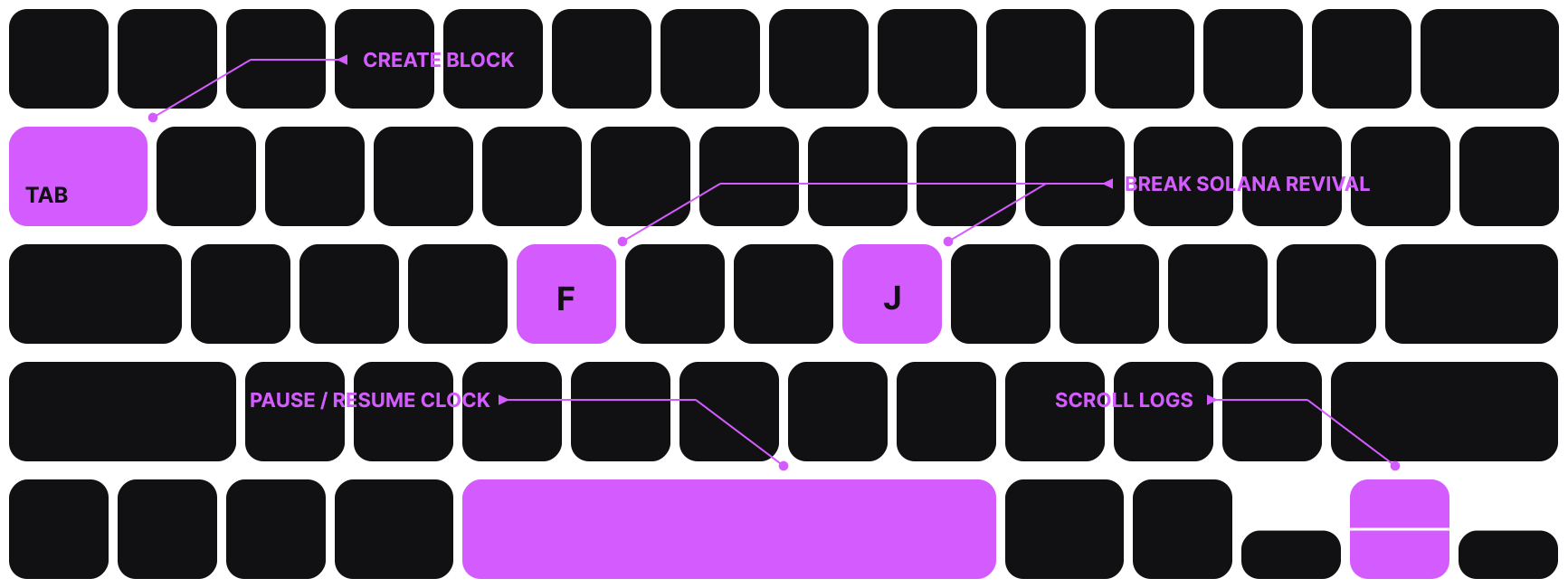
## Keyboard Shortcuts
## Video Tutorials
Check out our
[Surfpool 101 Series](https://www.youtube.com/playlist?list=PL0FMgRjJMRzO1FdunpMS-aUS4GNkgyr3T)
on YouTube to learn more about using the Terminal UI and other Surfpool
features.