Prerequisites
- Railway Account
- Railway CLI installed
- Solana CLI for private key creation
- Solana RPC Endpoint
Step 1: Prepare Deployment Files
Create a new directory for your Kora node:Dockerfile that starts from the official Kora v2.0.5 image and
adds your configuration:
Dockerfile
Note: Don’t use the repository’s sample Dockerfile. It runsYour directory should now look like:cargo install kora-clionrust:1.88, and that build now fails because current dependency releases require Rust 1.89. If you want to compile Kora in your image instead, useFROM rust:1.89(or later) andRUN cargo install kora-cli@2.0.5 --locked.
Step 2: Deploy to Railway
From your project directory, login to Railway- Create a new project or select existing
- Choose a project name (e.g., “my-kora-node”)
Deploy Your Application
- Upload your files to Railway
- Build the Docker image
- Deploy your application
Environment variable 'KORA_PRIVATE_KEY' required for signer 'main_signer' is not set.
That’s expected: the environment variables aren’t configured yet. Set them
next.
Step 3: Configure Environment Variables
Open your Railway dashboard at railway.app and navigate to your project. In your project, click “Settings” > “Variables”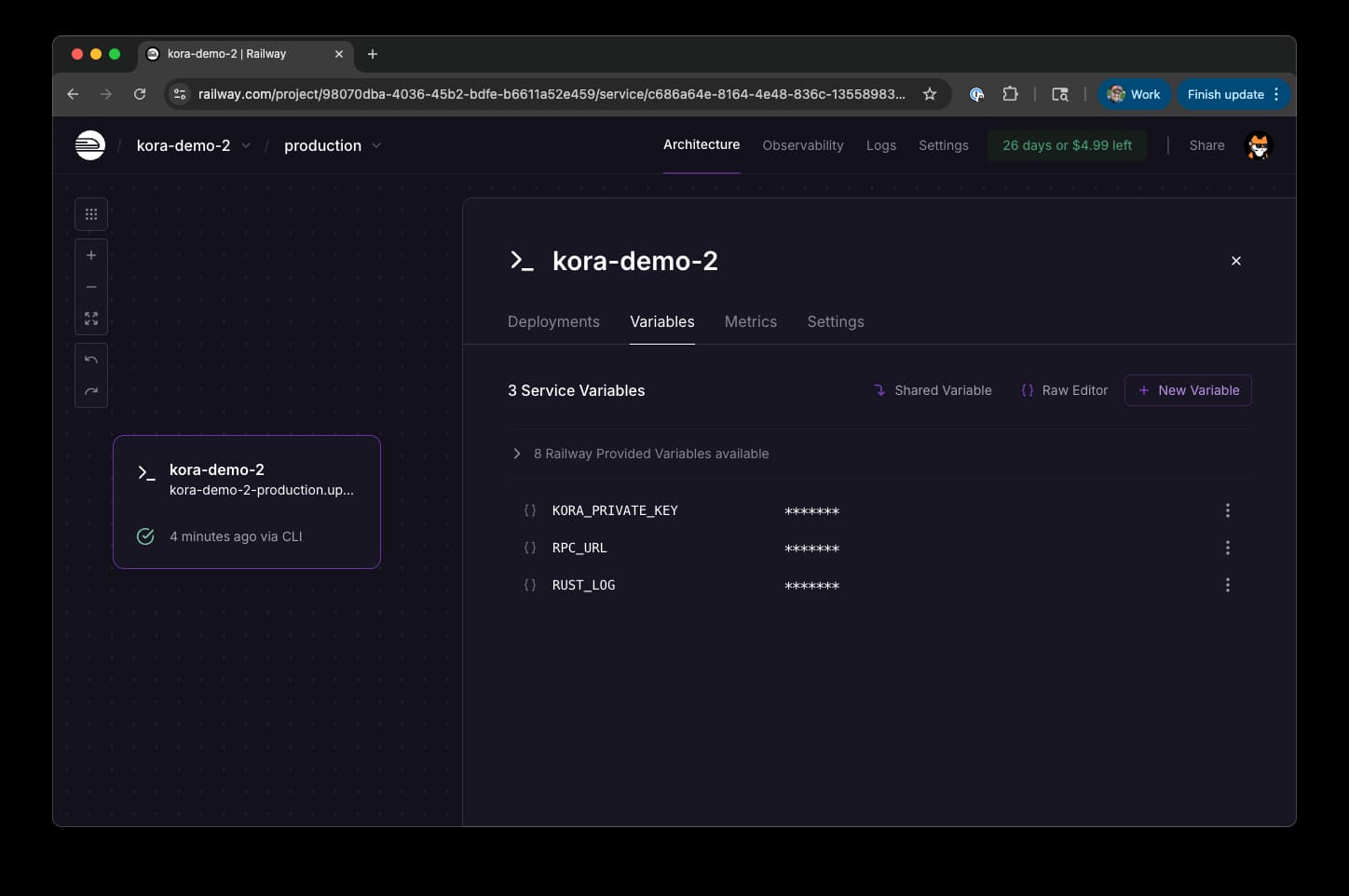
| Variable | Value | Description |
|---|---|---|
RPC_URL | https://api.mainnet.solana.com | Solana RPC endpoint |
KORA_PRIVATE_KEY | [12,34,...] or a base58 string | Your Solana private key: the byte array from a keypair file, or base58 |
RUST_LOG | info | Log level for debugging |
Security Warning: Your private key has access to SOL for paying fees. Use a dedicated keypair for your Kora node and only fund it with the SOL you’re willing to spend on transaction fees. For more information on signers, see the Signers Guide.
Getting Your Private Key
If you need to create a new keypair:solana-keygen writes the key as a JSON array of 64 numbers. Kora accepts that
array, a base58-encoded private key, or a path to a keypair file (see
Signers).
Fund the public key with enough SOL to pay the transaction fees your node will
sponsor.
Step 4: Redeploy
After saving your variables, you will be prompted to redeploy your server—do that.Step 5: Test Your Deployment
Generate Public Endpoint
To send requests to your endpoint, you will need to generate a public Domain. From your deployment, go to “Settings” > “Generate domain”.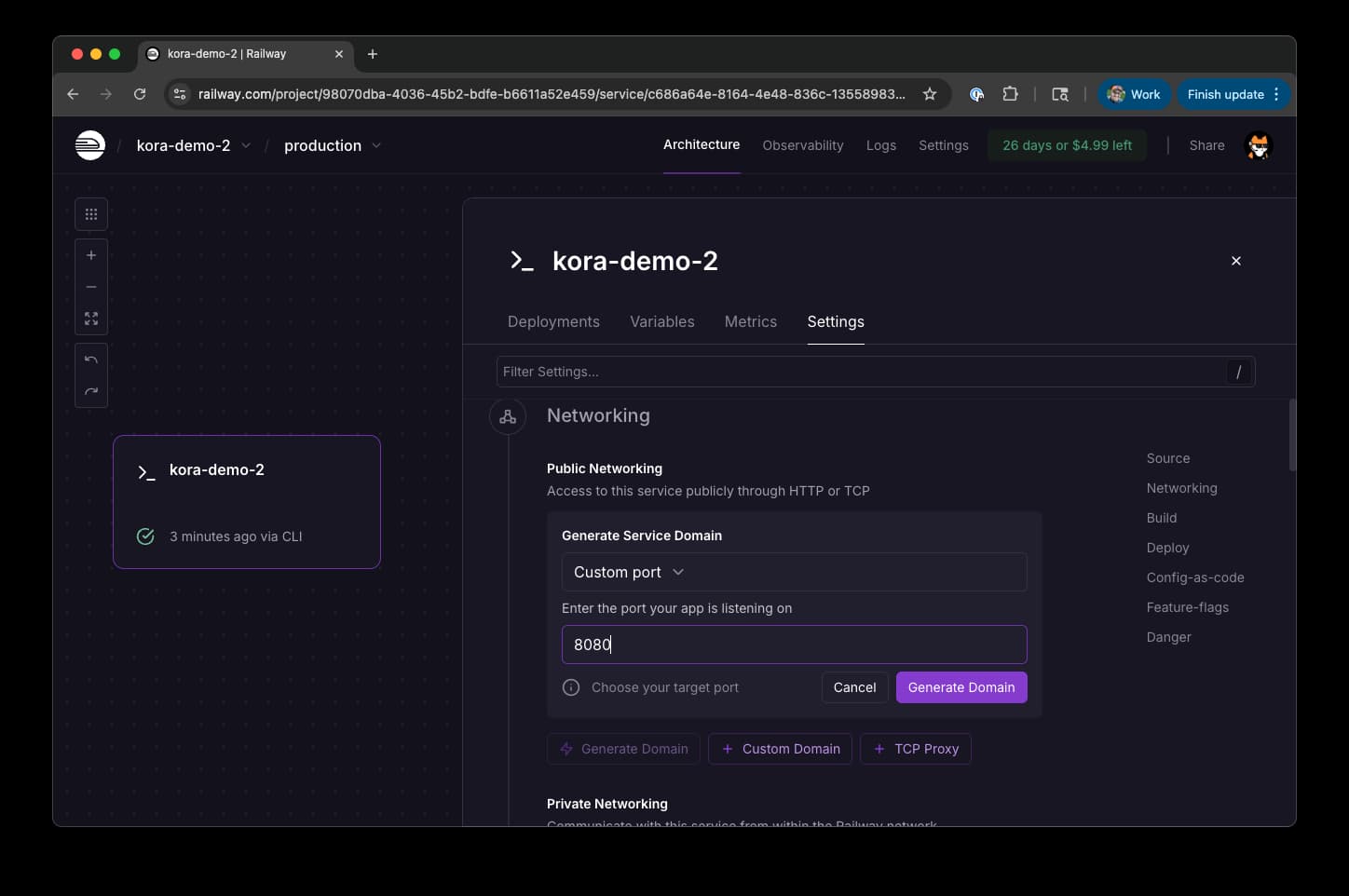
https://my-kora-node.railway.app/
Test Configuration Endpoint
- Kora Node Operators Guide - Common issues and solutions
- Railway Documentation - Platform-specific help
- GitHub Issues - Report bugs or get support
- Solana Stack Exchange - Ask
questions/share learnings (make sure to use the
koratag)