- Offchain messages (
solana:signOffchainMessage) wrap your text in a standard format, defined by the offchain message signing (OCMS) specification. The format can never be mistaken for a transaction, names the accounts that must sign it, and is the format hardware wallets sign. - Raw messages (
solana:signMessage) sign exactly the bytes your app passes in, with no prefix and no declared signers. Most software wallets support them, but nothing in the bytes marks them as a message rather than a transaction.
Choose a message format
| Offchain message | Raw message | Transaction | |
|---|---|---|---|
| Wallet feature | signOffchainMessage | signMessage | signTransaction |
| Hardware wallet support | Depends on device | No | Yes |
| Readable to the user | Yes | Software only | Depends on device |
| Declares required signers | Yes | No | Yes |
| RPC calls and fees | None | None | Blockhash, send, fee, confirm |
Why not a transaction?
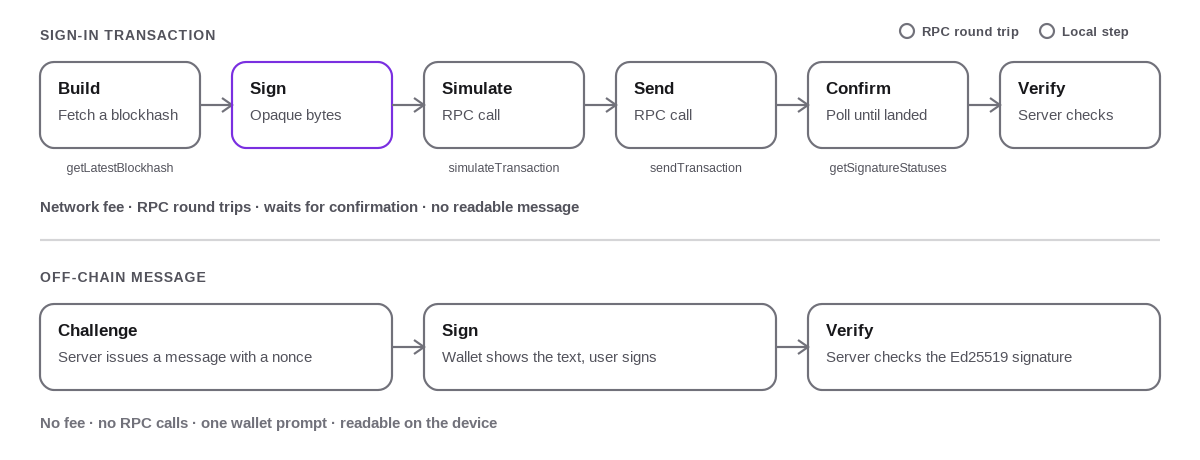
Hardware wallets used to have no way to sign a readable message. Many apps fell back to asking these users to sign a no-op transaction instead. That works, but it adds latency, cost, and risk:- Network fees. A transaction pays a fee, even when it does nothing.
- Multiple RPC calls. Your app fetches a blockhash, simulates, sends, and then polls for confirmation.
- Additional latency. Each of those calls is a round trip before the user is signed in.
- Nothing readable. The user approves transaction bytes, not a statement of what they are agreeing to.
- Behavioral Risk. Asking users to sign a transaction just to log in makes them easier to trick into signing a harmful one.
What the wallet signs
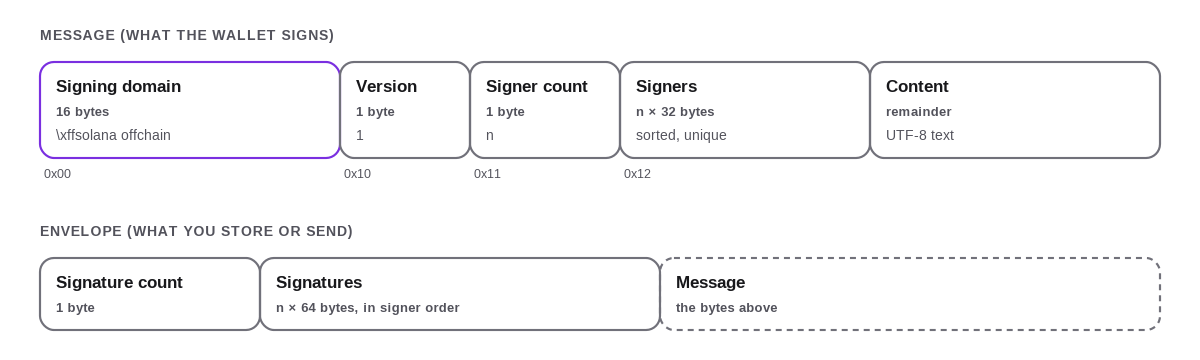
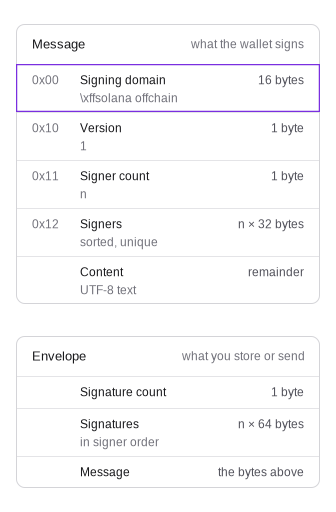
An offchain message starts with a fixed signing domain,\xffsolana offchain.
No valid transaction starts with those bytes, so a signed message can never be
used as a transaction. Version 1 of the format then lists the required signers
and carries the message as UTF-8 text, with no length cap.
The wallet builds these bytes, signs them, and returns them alongside the
signature. The
specification
covers the full format, including the legacy version 0.
Choose a sign-in method
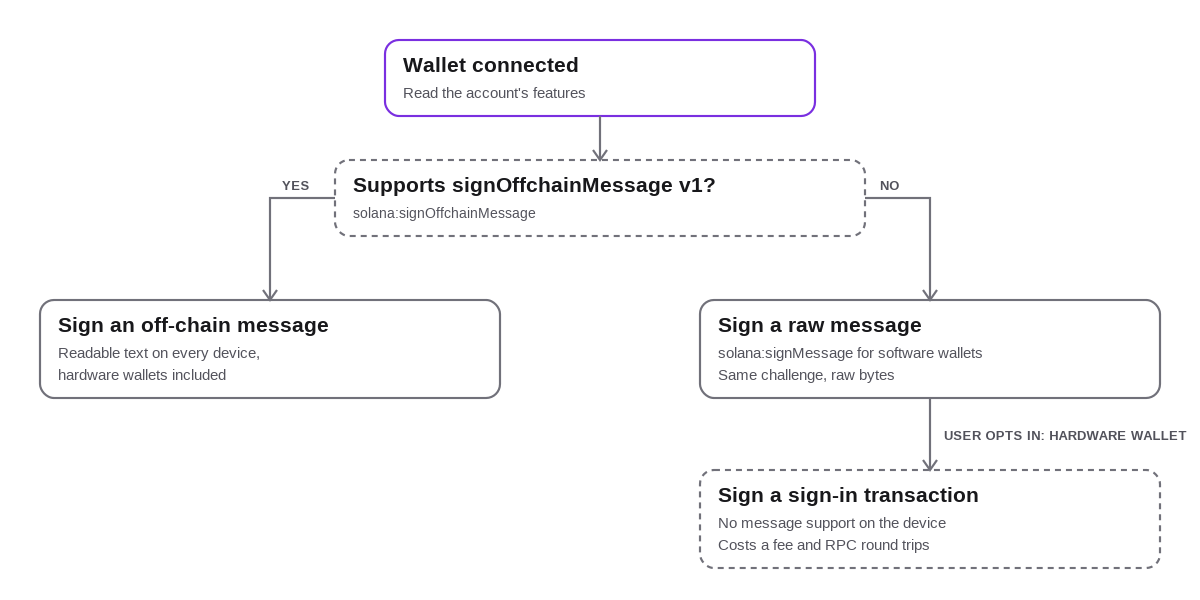
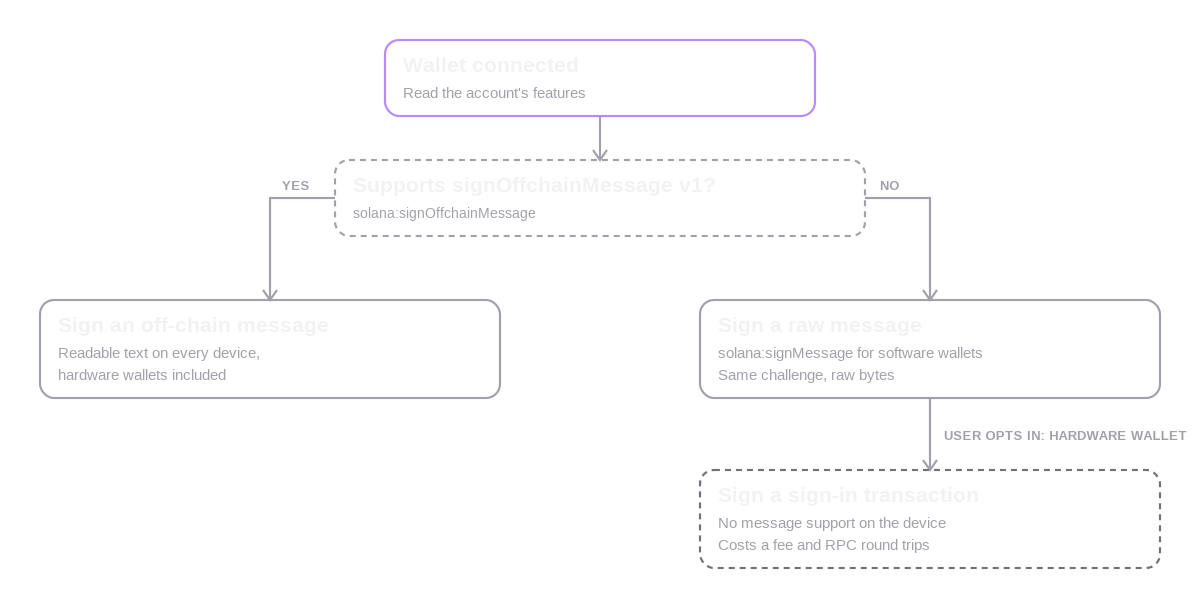
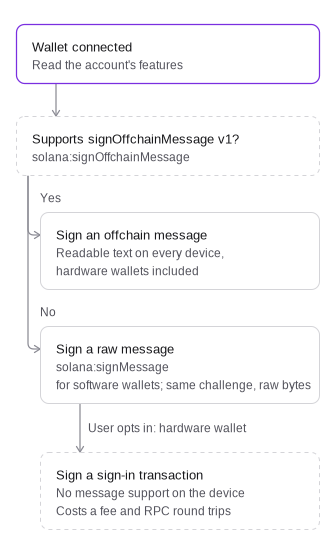
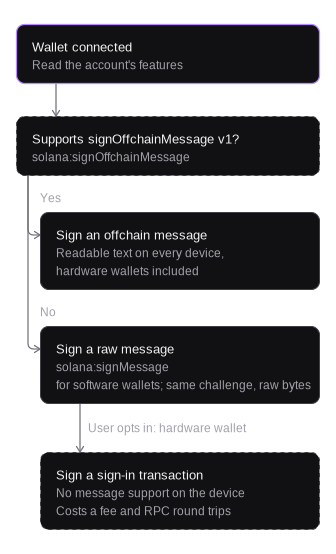
Not every wallet supports offchain messages yet. Check the connected account’s features before you ask for a signature, and fall back when the feature is missing:- If the account supports
solana:signOffchainMessagewith message version 1, sign an offchain message. - Otherwise, sign the same challenge with
solana:signMessage. Most software wallets support it. - Give hardware wallet users without message support an explicit opt-in, such as an “I’m using a hardware wallet” toggle, that signs a sign-in transaction instead. Don’t send them down this path by default.
Sign a message in the browser
Install the Wallet Standard packages alongside Kit:These helpers take a
Terminal
UiWalletAccount, such as the account returned by
useConnectedWallet in the React guide:offchain-message.ts
signOffchainMessage returns signedOffchainMessage, the full bytes the wallet
signed, and signature. Base64-encode both and send them to your server with
the wallet address.
Write the challenge so it reads well on a small screen. Name your app and
domain, say what signing does, and include a single-use nonce and an issue time
from your server:
Verify the signature on your server
Verification is a local signature check and needs no RPC connection. Decode the bytes the wallet signed, confirm they match the challenge you issued, then check the signature:verify-sign-in.ts
assertOffchainMessageV1Equal throws if the content or the signers differ from
what you expected. verifyOffchainMessageEnvelope throws if the signature is
missing or invalid. Look up expectedMessage by nonce on your server rather
than trusting the copy the client sends back. Consume the nonce once it
verifies, so the same signature can’t sign in twice.
Verify a raw message
AsignMessage signature covers the challenge bytes directly, so the client
only needs to send the signature and the wallet address. Check it against the
challenge you issued:
verify-raw-sign-in.ts
expectedMessage by nonce and consume it
once it verifies.
@solana/kit re-exports these helpers from @solana/offchain-messages. Use
the standalone package if your server doesn’t depend on Kit.Sign In With Solana
Sign In With Solana (SIWS) standardizes the challenge itself. Your app passes structured fields, such asdomain, statement, nonce, and issuedAt, to the wallet’s solana:signIn
feature. The wallet formats them into a standard message, connects if needed,
and signs it in one step.
Version 1.1.0 of solana:signIn adds a useOffchainMessage option. When you
pass useOffchainMessage: { messageVersion: 1 }, the wallet wraps the SIWS text
in a version 1 offchain message with the signing account as its only required
signer. Hardware wallets can display and sign it, and the output reports
signedMessageFormat: { kind: "offchainMessage", messageVersion: 1 }. Wallets
that advertise version 1.0.0 don’t know the option, so check the feature
version first and omit it otherwise.
solana:signIn is a wallet feature, not an account feature, so these
helpers take a UiWallet:sign-in.ts
nonce and an issuedAt
time, and keep a copy keyed by the nonce. Consume the nonce once the sign-in
verifies.
Without Wallet Adapter, verifySignIn from @solana/wallet-standard-util
checks plain SIWS output only. When signedMessageFormat reports an offchain
message, signedMessage is an offchain message whose content is the SIWS text.
Rebuild the expected text from your stored input and the signing address with
createSignInMessageText from @solana/wallet-standard-util, then verify it
like any other offchain message, as in
Verify the signature on your server. The
@solana/offchain-messages README
covers this flow in Kit.
For wallets
Wallets add support by implementing thesolana:signOffchainMessage Wallet
Standard feature from @solana/wallet-standard-features:
- Report
version: "1.0.0"and list the message versions you can sign insupportedMessageVersions. Today, that is[1]. - Build the version 1 preamble from
requiredSigners, which you sort and check for duplicates. Reject the request if the account isn’t one of the required signers. - Show the message text to the user in full before signing, including on hardware devices.
- Return the exact bytes you signed as
signedOffchainMessage, along with the Ed25519signature. - To support offchain Sign In With Solana, report
version: "1.1.0"forsolana:signIn. When the input includesuseOffchainMessage, sign the SIWS text as a version 1 offchain message, return its bytes assignedMessage, and setsignedMessageFormat. - Keep supporting
solana:signMessage. It is unchanged, and apps still use it as a fallback.