How to create a token account with Confidential Balances
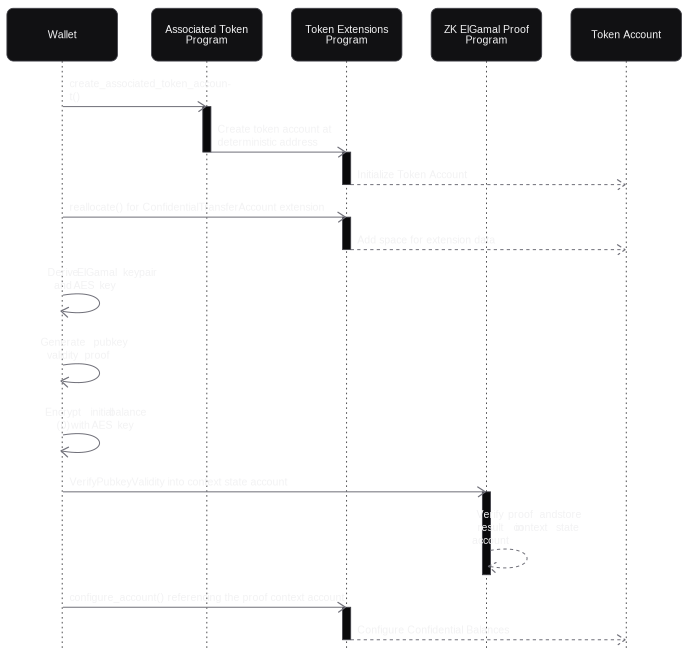
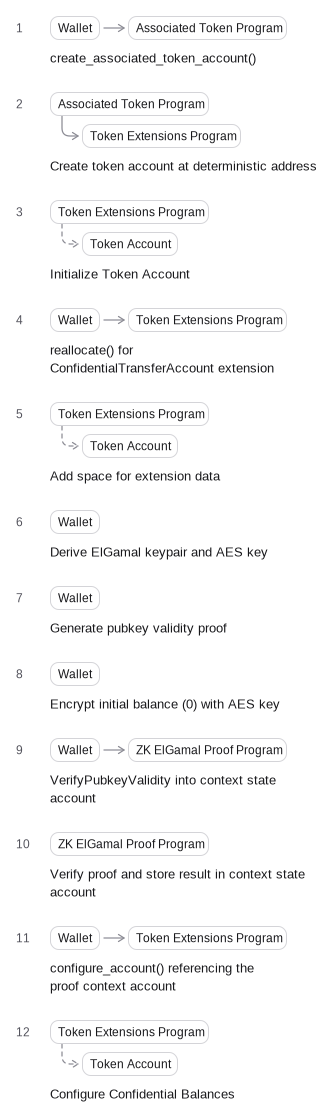
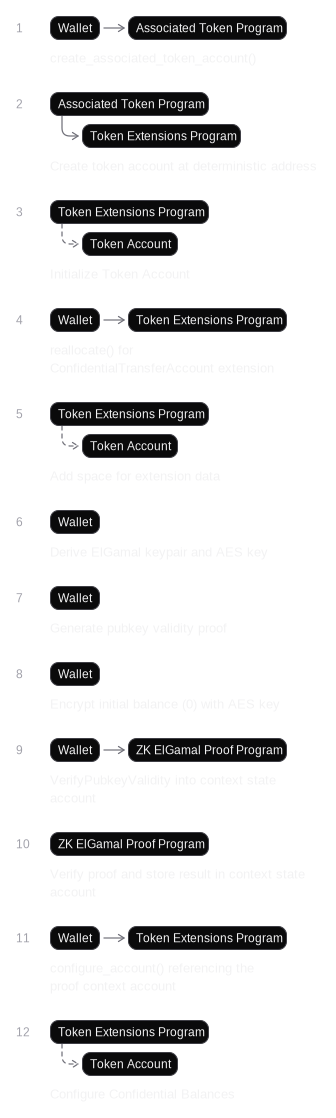
Confidential Balances enables private token transfers by adding extra state to the token account. This section explains how to create a token account with the required extension enabled. The following diagram shows the steps involved in creating a token account with Confidential Balances enabled: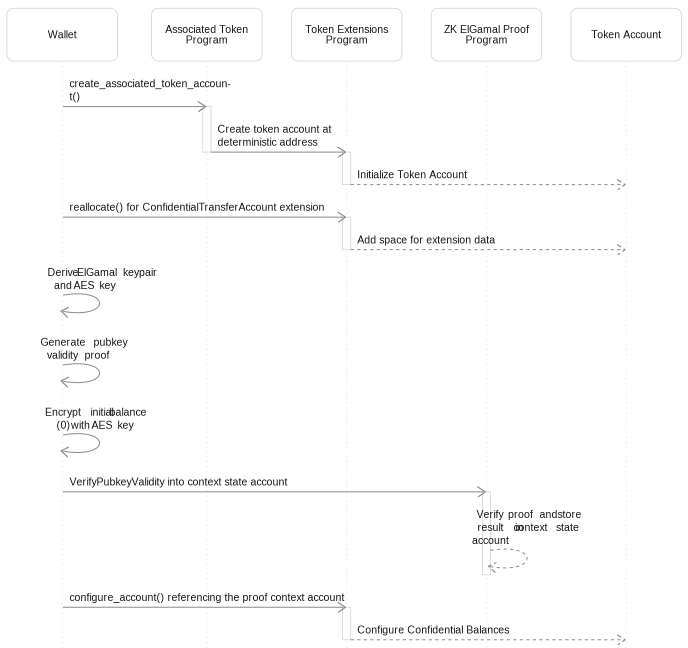
Create Token Account with Confidential Balances
Confidential Balances Token Account State
The extension adds the ConfidentialTransferAccount state to the token account:Confidential Token Account State
ConfidentialTransferAccount contains several fields that manage
Confidential Balances:
-
approved: The account’s approval status for Confidential Balances. If the
mint account’s
auto_approve_new_accountsconfiguration is set astrue, all token accounts are automatically approved for Confidential Balances. - elgamal_pubkey: The ElGamal public key used to encrypt balances and transfer amounts.
- pending_balance_lo: The encrypted lower 16 bits of the pending balance. The balance is split into high and low parts for efficient decryption.
- pending_balance_hi: The encrypted higher 48 bits of the pending balance. The balance is split into high and low parts for efficient decryption.
- available_balance: The encrypted balance available for transfers.
- decryptable_available_balance: The available balance encrypted with an Advanced Encryption Standard (AES) key for efficient decryption by the account owner.
- allow_confidential_credits: If true, allows incoming confidential transfers.
- allow_non_confidential_credits: If true, allows incoming non-confidential transfers.
- pending_balance_credit_counter: Counts incoming pending balance credits from deposit and transfer instructions.
-
maximum_pending_balance_credit_counter: The count limit of pending credits
before requiring an
ApplyPendingBalanceinstruction to convert the pending balance to the available balance. -
expected_pending_balance_credit_counter: The
pending_balance_credit_countervalue provided by the client through the instruction data the last time theApplyPendingBalanceinstruction was processed. -
actual_pending_balance_credit_counter: The
pending_balance_credit_countervalue on the token account at the time the lastApplyPendingBalanceinstruction was processed.
Pending vs Available BalanceConfidential balances are separated into pending and available balances to
prevent DoS attacks. Without this separation, an attacker could repeatedly send
tokens to a token account, blocking the token account owner’s ability to
transfer tokens. The token account owner would be unable to transfer tokens
because the encrypted balance would change between when the transaction is
submitted and when it is processed, resulting in a failed transaction.All deposits and transfer amounts are initially added to the pending balance.
Token account owners must use the
ApplyPendingBalance instruction to
convert the pending balance to the available balance. Incoming transfers or
deposits don’t affect a token account’s available balance.Pending Balance High/Low SplitThe confidential pending balance is split into
pending_balance_lo and
pending_balance_hi because ElGamal decryption requires more computation for
larger numbers. You can find the ciphertext arithmetic implementation
here,
which is used in the ApplyPendingBalance instruction
here.Pending Balance Credit CountersWhen calling the
ApplyPendingBalance instruction to convert the pending
balance to the available balance:-
The client looks up current pending and available balances, encrypts the sum,
and provides a
decryptable_available_balanceencrypted using the token account owner’s AES key. -
The expected and actual pending credit counters track changes to the counter
value between when the
ApplyPendingBalanceinstruction is created and processed:expected_pending_balance_credit_counter: Thepending_balance_credit_countervalue when the client creates theApplyPendingBalanceinstructionactual_pending_balance_credit_counter: Thepending_balance_credit_countervalue on the token account at the time theApplyPendingBalanceinstruction is processed
decryptable_available_balance
matches the available_balance.When fetching a token account’s state to read the
decryptable_available_balance, different expected/actual counters values
require the client to look up recent deposit/transfer instructions matching the
counter difference to calculate the correct balance.Balance Reconciliation ProcessWhen the expected and actual pending balance counters differ, follow these steps
to reconcile the decryptable_available_balance:- Start with the
decryptable_available_balancefrom the token account - Fetch the most recent transactions including deposit and transfer
instructions up to the counter difference (actual - expected):
- Add public amounts from deposit instructions
- Decrypt and add destination ciphertext amounts from transfer instructions
Required Instructions
Creating and configuring a token account for Confidential Balances uses the following instructions, which all fit in a single transaction:-
Create the Token Account: Invoke the Associated Token Program’s
AssociatedTokenAccountInstruction::Createinstruction to create the token account at its deterministic address. -
Reallocate Account Space: Invoke the Token Extension Program’s
TokenInstruction::Reallocateinstruction to add space for theConfidentialTransferAccountstate. -
Verify the Pubkey Validity Proof: Create an account owned by the ZK
ElGamal Proof program, then invoke its
VerifyPubkeyValidityinstruction to verify the proof and store the verified result in that context state account. -
Configure Confidential Balances: Invoke the Token Extension Program’s
ConfidentialTransferInstruction::ConfigureAccount
instruction, referencing the proof context state account via
ProofLocation::ContextStateAccount, to initialize theConfidentialTransferAccountstate.
Only the token account owner can enable Confidential Balances on a token
account.The
ConfigureAccount instruction requires client-side generation of
encryption keys and a proof that can only be generated by the token account
owner.The pubkey validity proof verifies that the account’s ElGamal public key is
valid. It is generated with build_pubkey_validity_proof_data, verified on
chain by the ZK ElGamal Proof program into a context state account, and then
referenced from ConfigureAccount via
ProofLocation::ContextStateAccount, so no proof bytes travel in the token
instruction itself. For implementation details, see:Example Code
The following code creates an associated token account and configures it to use Confidential Balances with an existing compatible mint. Confidential Balances depends on the ZK ElGamal Proof program, which is enabled on mainnet and devnet. The Token-2022 program bundled withsolana-test-validator is built without confidential-transfer support, so
Deposit and the steps after it fail with InvalidInstructionData. Run the
examples on devnet (the code’s default; get devnet SOL from the
Solana faucet) or on a mainnet-forking local
validator such as Surfpool.
The payer is the wallet at ~/.config/solana/id.json. The example first creates
its own confidential mint (as in
Create a Mint,
with a throwaway auditor key), so there are no addresses to replace.
Rust
Typescript
The TypeScript helpers live in the
@solana-program/token-2022/confidential
subpath and build on @solana/zk-sdk for the encryption primitives. owner
and client come from your @solana/kit setup; the returned instruction plan
is sent with @solana/kit’s instruction-plan support, which splits the work
across transactions when the proofs are too large for one.