vite-anchor
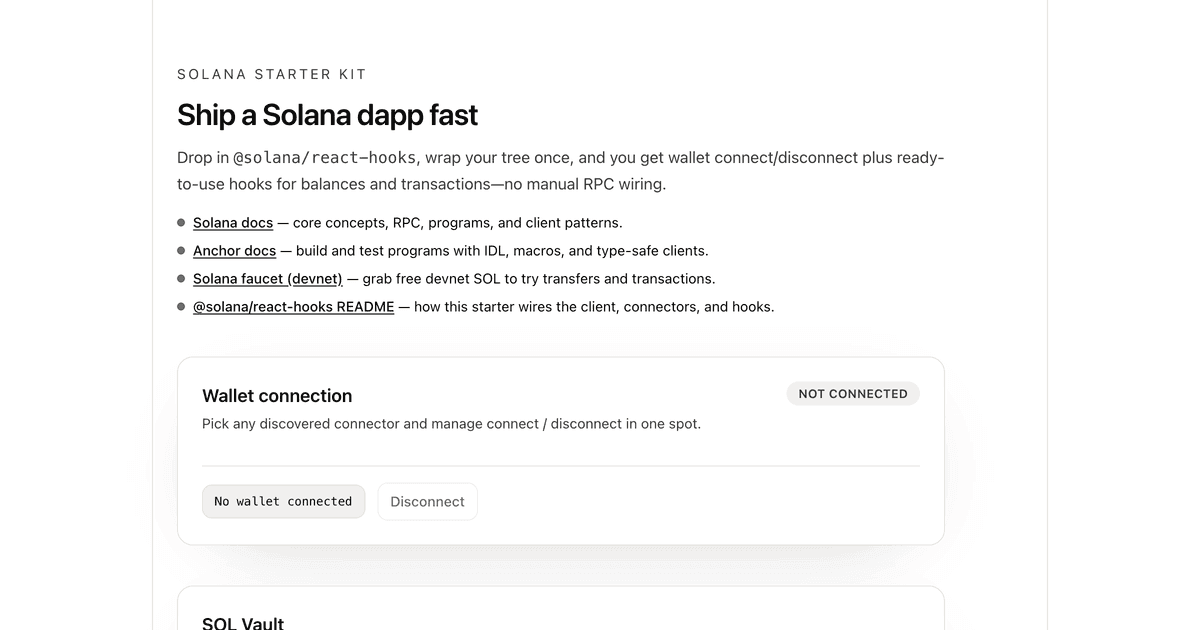
React + Vite starter with Tailwind CSS, @solana/react-hooks, and an Anchor vault program example.
Getting Started
npx -y create-solana-dapp@latest -t solana-foundation/templates/kit/react-vite-anchornpm install # Builds program and generates client automatically
npm run devOpen http://localhost:5173, connect your wallet, and interact with the vault on devnet.
What's Included
- Wallet connection via
@solana/react-hookswith auto-discovery - SOL Vault program - deposit and withdraw SOL from a personal PDA vault
- Codama-generated client - type-safe program interactions using
@solana/kit - Tailwind CSS v4 with light/dark mode
Stack
| Layer | Technology |
|---|---|
| Frontend | React 19, Vite, TypeScript |
| Styling | Tailwind CSS v4 |
| Solana Client | @solana/client, @solana/react-hooks |
| Program Client | Codama-generated, @solana/kit |
| Program | Anchor (Rust) |
Project Structure
├── src/
│   ├── App.tsx               # Main app with wallet UI
│   ├── VaultCard.tsx         # Vault deposit/withdraw UI
│   ├── providers.tsx         # Solana client setup
│   ├── generated/vault/      # Codama-generated program client
│   └── main.tsx              # Entry point
├── anchor/                   # Anchor workspace
│   └── programs/vault/       # Vault program (Rust)
└── codama.json               # Codama client generation config
Deploy Your Own Vault
The included vault program is already deployed to devnet. To deploy your own:
Note:
npm run setupandnpm run anchor-buildpass--ignore-keystoanchor buildso the program keeps the devnet program ID shipped with this template (F4jZpgbtTb6RWNWq6v35fUeiAsRJMrDczVPv9U23yXjB). Anchor 1.x otherwise generates a fresh program keypair on build and rewritesdeclare_id!. The steps below build without that flag on purpose, so Anchor syncs your own program ID before deploying.
Prerequisites
Steps
Configure Solana CLI for devnet
solana config set --url devnetCreate a wallet (if needed) and fund it
solana-keygen new
solana airdrop 2
Build and deploy the program
cd anchor
anchor build
anchor keys sync    # Updates program ID in source
anchor build        # Rebuild with new ID
anchor deploy
cd ..
Regenerate the client and restart
npm run setup   # Rebuilds program and regenerates client
npm run dev
Testing
Tests use LiteSVM, a fast lightweight Solana VM for testing.
npm run anchor-build   # Build the program first
npm run anchor-test    # Run tests
The tests are in anchor/programs/vault/src/tests.rs and automatically use the program ID from declare_id!.
Regenerating the Client
If you modify the program, regenerate the TypeScript client:
npm run setup # Or: npm run anchor-build && npm run codama:jsThis uses Codama to generate a type-safe client from the Anchor IDL.
Learn More
- Solana Docs - core concepts and guides
- Anchor Docs - program development framework
- Deploying Programs - deployment guide
- framework-kit - the React hooks used here
- Codama - client generation from IDL