PaymentButton
组件是一个 React 组件,提供完整的支付界面用于接受 Solana 支付。它内部处理钱包连接、代币选择、交易处理和 UI 状态管理。开箱即用,它配备了可自定义的按钮和模态框:
打赏按钮
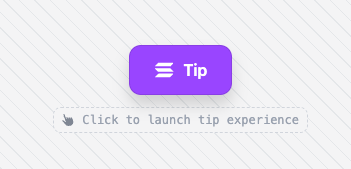 打赏按钮
打赏按钮
支付模态框
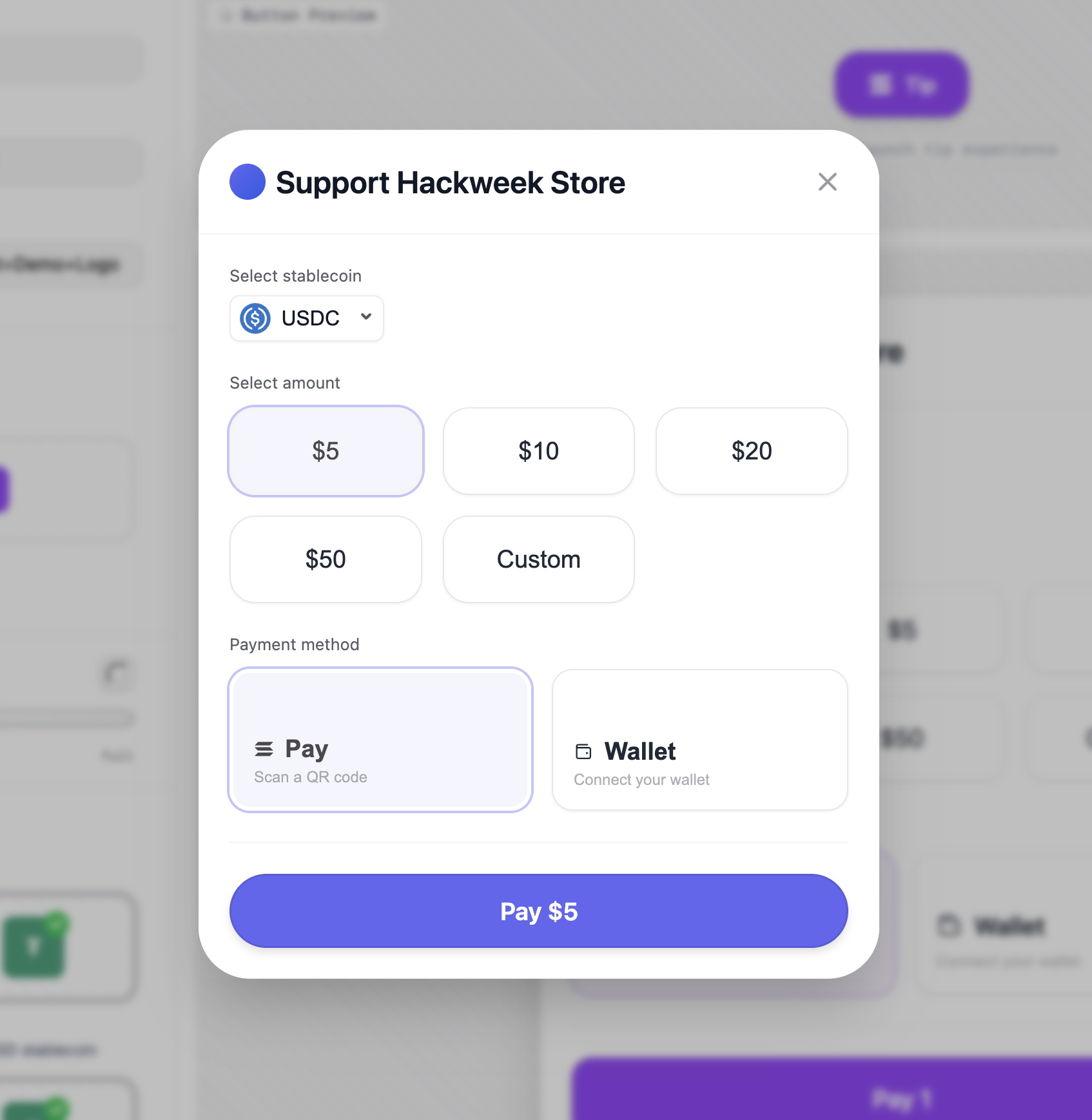 支付模态框
支付模态框
Solana Pay 二维码模态框
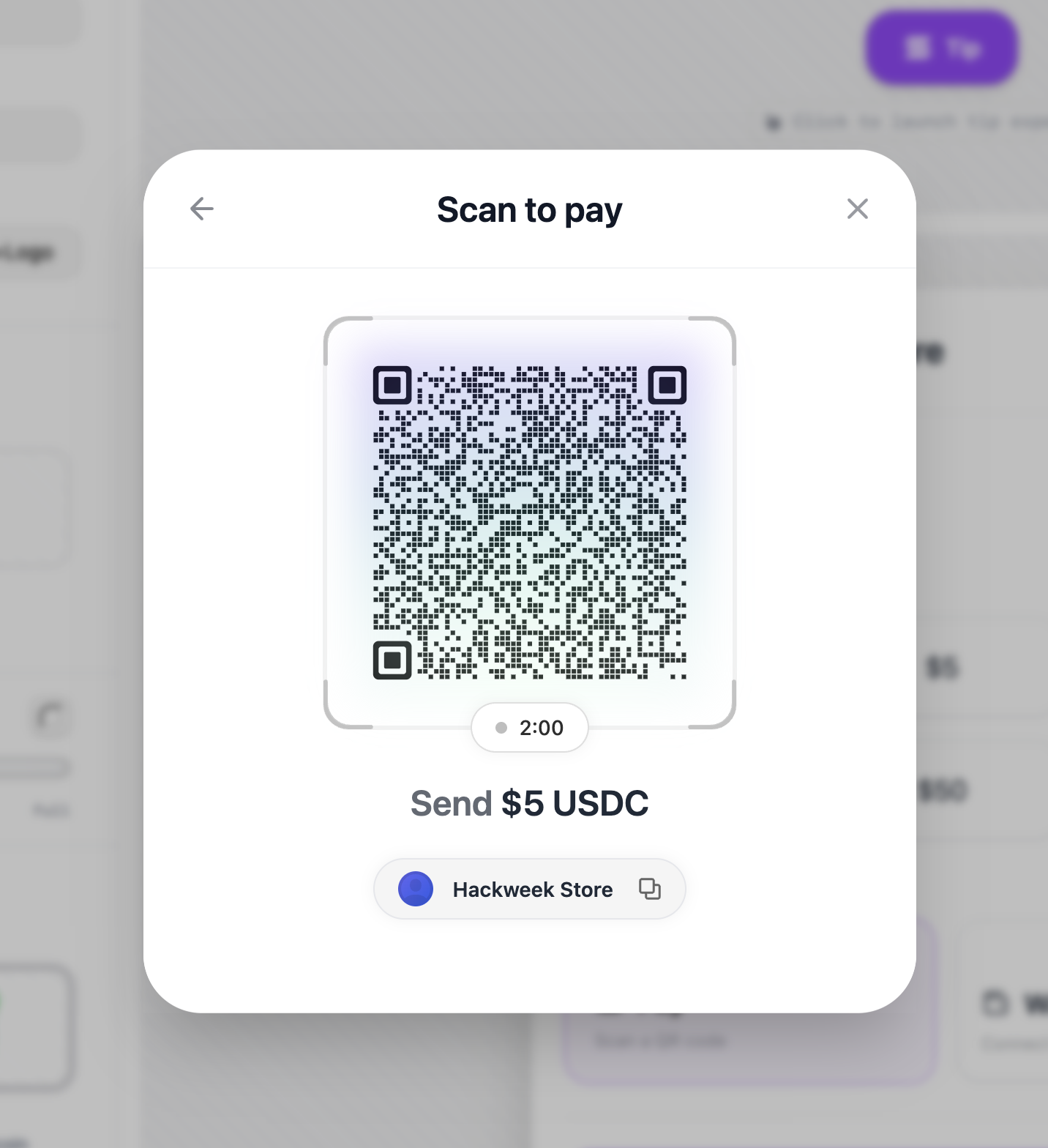 购物车模态框
安装
pnpm add @solana-commerce/kit
组件属性
PaymentButtonProps
PaymentButton 组件接受以下属性:
必需属性
config(SolanaCommerceConfig) - 支付组件的主要配置对象。这是唯一必需的属性。请参阅下面的 SolanaCommerceConfig。
可选属性
-
paymentConfig(PaymentConfig) - 支付特定配置,包括产品、定价覆盖和自定义价格获取器。请参阅下面的 PaymentConfig。 -
onPayment((amount: number, currency: string) => void) - 当用户确认金额和货币后发起支付时调用。接收支付金额(以代币单位,而非 lamport)和货币标识符。 -
onPaymentStart(() => void) - 当支付流程开始时调用,在实际交易提交之前。使用此回调显示加载状态或进行分析跟踪。 -
onPaymentSuccess((signature: string) => void) - 当交易在链上确认时调用。接收交易签名。这是您应该更新订单状态、发送确认电子邮件等操作的地方。 -
onPaymentError((error: Error) => void) - 当支付在任何阶段失败时调用(钱包连接、交易提交或确认)。错误对象包含出错原因的详细信息。 -
onCancel(() => void) - 当用户显式取消支付流程时调用(关闭模态框或点击取消)。 -
children(React.ReactNode)- 可选的自定义触发元素。如果提供,将替换默认的支付按钮。子元素应该是可点击的(例如,一个按钮)。 -
className(string)- 应用于触发按钮的 CSS 类名(仅在未提供自定义子元素时使用)。 -
style(React.CSSProperties)- 应用于触发按钮的内联样式(仅在未提供自定义子元素时使用)。 -
variant('default' | 'icon-only')- 按钮变体。默认显示文本和图标,'icon-only'仅显示支付图标。
配置对象
SolanaCommerceConfig
传递给 config 属性的主配置对象。
必填字段
-
merchant(MerchantConfig)- 商户信息和支付接收方详细信息。请参阅 MerchantConfig。 -
mode('cart' | 'tip' | 'buyNow')- 决定按钮显示文本和 UI 流程的支付模式:'buyNow'- 固定金额的单一商品购买'cart'- 包含多个商品的购物车'tip'- 用户选择自己的金额(捐赠/小费)
可选字段
-
position('inline' | 'overlay')- 支付 UI 的显示方式。默认为'overlay'。'overlay'- 在模态框/抽屉覆盖层中打开'inline'- 直接嵌入页面中
-
theme(ThemeConfig)- 视觉自定义选项。请参阅 ThemeConfig。 -
network('mainnet' | 'devnet' | 'testnet')- 要使用的 Solana 网络。默认为'mainnet'。 -
rpcUrl(string)- 自定义 RPC 端点 URL。如果未提供,则使用所选网络的默认公共端点。 -
allowedMints(string[])- 用于限制支付方式的代币铸造地址数组。如果未提供,则所有支持的代币(SOL、USDC、USDT)均可用。 -
showQR(boolean)- 是否显示二维码支付选项。适用于移动端和 Solana Pay 集成。 -
enableWalletConnect(boolean)- 是否启用钱包连接。如果您在外部处理钱包连接,请设置为false。 -
showMerchantInfo(boolean)- 是否在支付界面中显示商户名称和徽标。 -
debug(boolean)- 启用详细的控制台日志记录以进行调试。
MerchantConfig
定义支付接收方和商户信息。
必填字段
-
name(string)- 在结账过程中向用户显示的商户或企业名称。 -
wallet(string)- 接收付款的 Solana 钱包地址。必须是有效的 base58 编码的 Solana 地址。
可选字段
-
logo(string)- 商户徽标图片的 URL。当启用showMerchantInfo时,会在支付界面中显示。 -
description(string)- 向用户显示的企业描述。
ThemeConfig
支付界面的视觉自定义选项。
所有字段均为可选,并具有合理的默认值。
-
primaryColor(string)- 用于按钮和强调元素的主要品牌颜色。默认值:'#9945FF'(Solana 紫色)。 -
secondaryColor(string)- 次要强调颜色。默认值:'#14F195'(Solana 绿色)。 -
backgroundColor(string)- 模态框/容器背景颜色。默认值:'#ffffff'。 -
textColor(string)- 主要文本颜色。默认值:'#111827'。 -
borderRadius('none' | 'sm' | 'md' | 'lg' | 'xl' | 'full')- 应用于界面元素的边框圆角半径。默认值:'lg'。'none'= 0px'sm'= 12px'md'= 16px'lg'= 20px'xl'= 24px'full'= 完全圆角(取决于上下文)
-
fontFamily(string)- 所有文本的字体系列。默认值:'system-ui, -apple-system, sans-serif'。 -
buttonShadow('none' | 'sm' | 'md' | 'lg' | 'xl')- 按钮的投影效果。默认值:'md'。 -
buttonBorder('none' | 'black-10')- 按钮的边框样式。默认值:'black-10'(淡黑色边框)。
PaymentConfig
用于定价、小数位数和产品的高级支付配置。
所有字段均为可选。
-
products(Product[])- 用于'cart'或'buyNow'模式的产品数组。使用这些模式时为必填项。每个产品包含:id(字符串,必填)- 唯一产品标识符name(字符串,必填)- 向用户显示的产品名称quantity(数字,必填)- 该产品的数量price(数字,可选)- 单位价格(美元)unitAmount(数字,可选)-price字段的替代选项description(字符串,可选)- 产品描述
-
solPriceUsd(number)- 固定的 SOL 美元价格。用于测试或希望锁定 SOL 价格时使用。如果未提供,组件将从 CoinGecko 获取当前价格。 -
getSolPrice(() => Promise<number>)- 用于获取 SOL 价格的自定义函数。适用于:- 私有价格预言机
- 避免公共 API 速率限制
- 自定义定价逻辑
- 企业应用程序
如果未提供,默认使用带 1 分钟缓存的 CoinGecko 公共 API。
-
tokenDecimals({ [currency: string]: number })- 覆盖代币小数精度。对自定义代币很有用。示例:tokenDecimals: {'CUSTOM': 8,'USDC': 6 // Can override defaults} -
fallbackSolPriceUsd(number)- 如果价格 API 失败且没有可用缓存时的备用 SOL 价格。如果没有此项,当价格获取失败时支付界面将显示错误。
内部钩子
PaymentButton 组件使用多个内部钩子来管理状态和计算值:
useTheme(theme?: ThemeConfig)
将用户提供的主题配置与默认主题值合并。返回一个完整的 ThemeConfig
对象,其中所有字段均已填充。
默认主题值:
primaryColor: '#9945FF'secondaryColor: '#14F195'backgroundColor: '#ffffff'textColor: '#111827'borderRadius: 'lg'fontFamily: 'system-ui, -apple-system, sans-serif'buttonShadow: 'md'buttonBorder: 'black-10'
该钩子已被记忆化,仅在主题配置更改时重新计算。
useTotalAmount(mode, paymentConfig?)
根据商务模式和产品计算总支付金额。
各模式下的行为:
'tip'模式 - 返回0(金额由用户决定)'cart'和'buyNow'模式 - 对paymentConfig.products中所有产品的price * quantity求和
该钩子处理边界情况:
- 缺失或无效的价格默认为
0 - 缺失或无效的数量默认为
0 - 确保所有值均为有限数字
- 同时支持
price和unitAmount产品字段
返回总金额数值(购物车/立即购买模式为美元,打赏模式为 0)。
usePaymentUrl(merchant, amount, mode)
生成用于支付的 Solana Pay URL。该 URL 可被编码为二维码供移动钱包扫描。
返回: 一个 solana: 协议 URL,包含以下查询参数:
recipient- 商家钱包地址amount- 支付金额reference- 唯一支付参考(由时间戳 + 随机字符串生成)label- 商家名称(已进行 URL 安全清理)message- 基于模式的上下文消息
如果商家钱包无效或金额为 <= 0,则返回空字符串。
安全性: 商家名称使用 sanitizeString()
进行清理,以防止通过 URL 注入进行 XSS 攻击。
验证与错误处理
组件在渲染前执行验证:
-
钱包验证 - 使用
@solana/kit中的isAddress()验证商户钱包地址。如果地址无效,则显示错误状态而非支付界面。 -
定价验证 - 确保配置了有效的定价:
- 对于
'tip'模式:始终有效(用户选择金额) - 对于
'cart'和'buyNow'模式:验证totalAmount > 0
- 对于
-
SSR 安全性 - 使用客户端检测来防止水合不匹配。
isClient状态确保仅浏览器功能(如用于钱包持久化的localStorage)仅在客户端运行。
组件架构
PaymentButton 将所有子组件包裹在两个上下文提供器中:
-
AppProvider- 提供钱包连接状态和连接器客户端- 自动连接:默认禁用
- 存储:在可用时使用
localStorage(仅限客户端) - 调试模式:可通过配置进行配置
-
ArcProvider- 提供 Solana 区块链客户端和 RPC 连接- 网络:由
config.network决定 - RPC URL:使用服务器端解析,并回退到公共端点
- 网络:由
RPC URL 解析
该组件包含复杂的 RPC URL 解析机制:
- 如果提供了
config.rpcUrl,则直接使用 - 否则,调用服务器端解析器选择可靠的端点
- 如果解析失败,则回退至
https://api.mainnet.solana.com - 解析在挂载时异步进行并更新状态
渲染模式
覆盖模式(position: 'overlay' 或默认):
- 渲染一个触发按钮(自定义或默认)
- 在响应式模态框(桌面端)或抽屉(移动端)中打开支付界面
- 使用
ResponsiveShell组件实现自适应布局
内联模式(position: 'inline'):
- 直接在页面中嵌入支付界面
- 无需触发按钮
- 适用于专用结账页面
两种模式内部都使用 SecureIframeShell
在沙盒 iframe 中渲染支付界面以确保安全性。
使用示例
基础支付
<PaymentButtonconfig={{merchant: {name: "Coffee Shop",wallet: "your-wallet-address"},mode: "buyNow"}}paymentConfig={{products: [{id: "coffee-001",name: "Espresso",price: 4.5,quantity: 1}]}}onPaymentSuccess={(sig) => {console.log("Payment confirmed:", sig);}}/>
带自定义价格获取器的打赏小部件
<PaymentButtonconfig={{merchant: {name: "Content Creator",wallet: "creator-wallet"},mode: "tip"}}paymentConfig={{// Use your own price API to avoid rate limitsgetSolPrice: async () => {const res = await fetch("/custom-api/solana-price");const data = await res.json();return data.price;},// Fallback if your API failsfallbackSolPriceUsd: 200}}/>
带自定义主题的购物车
<PaymentButtonconfig={{merchant: {name: "My Store",wallet: "store-wallet",logo: "/logo.png"},mode: "cart",theme: {primaryColor: "#FF6B6B",backgroundColor: "#1a1a1a",textColor: "#ffffff",borderRadius: "xl",buttonShadow: "lg"},showMerchantInfo: true}}paymentConfig={{products: [{ id: "1", name: "T-Shirt", price: 25, quantity: 2 },{ id: "2", name: "Hoodie", price: 45, quantity: 1 }]}}onPaymentSuccess={(signature) => {// Verify transaction on your backendfetch("/api/verify-payment", {method: "POST",body: JSON.stringify({ signature })});}}/>
自定义触发按钮
<PaymentButtonconfig={{merchant: { name: "Shop", wallet: "address" },mode: "buyNow"}}paymentConfig={{products: [{ id: "1", name: "Product", price: 10, quantity: 1 }]}}><button className="custom-button">🚀 Pay with Solana</button></PaymentButton>
Is this page helpful?